
 Buy Now, Pay Later
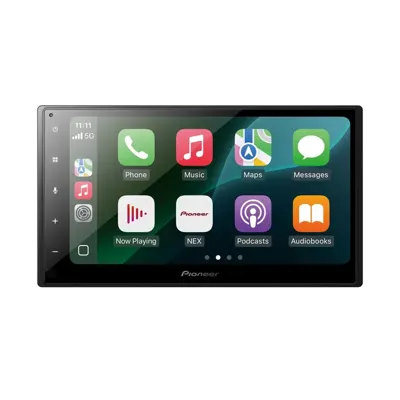
Pioneer DMH-1800NEX 6.8-inch CarPlay Receiver
- Wired CarPlay/Android Auto
- Backup camera input
- Bluetooth
$339.99

Pick the radio around your car and how you use your phone, not around the biggest screen on the wall. Decide wired or wireless, figure out what shape your dash allows, and plan to keep your steering wheel buttons and factory features. Then we confirm the exact parts for your vehicle before anything comes apart.
Before we talk screens, we ask a few plain questions. What year, make, model and trim is it? Does it have buttons on the steering wheel? Is there a factory amp or a premium sound badge on the speakers? Is there a factory backup camera? Two cars that look the same from the curb can be wired nothing alike.
Then we ask how you use your phone. If you plug in every time anyway to charge, a wired CarPlay radio is a simple, solid choice. If you make a lot of short trips and hate digging for a cable, wireless is worth it. And if you think you might add an amp and a sub later, that changes which deck we point you to.
Last, how much do you want the dash to change? Some people want it to look factory. Some want the biggest screen that will go in there. Both are fine, they just point to other radios.
If the goal is maps, music and calls on a real screen, keep it simple. The Pioneer DMH-1800NEX is an entry-level double-DIN with a 6.8-inch touchscreen and wired Apple CarPlay and Android Auto. It has a dedicated backup camera input, Bluetooth with an included mic, and it is steering wheel control ready with an adapter sold separately.
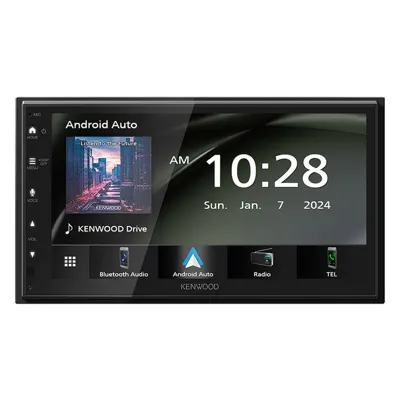
The tradeoff is that it is wired only, so the phone has to be plugged in to run CarPlay or Android Auto. For a lot of daily drivers that is no problem, since the cable charges the phone at the same time. The Kenwood DMX4710S is another wired option with a sharper 1024 x 600 screen if you want something in the same lane from another brand.
Wireless means the phone connects on its own when you start the car. The Kenwood DMX5710S does wired and wireless Apple CarPlay and Android Auto on a short chassis, with a 1024 x 600 capacitive screen, a rear camera input, Bluetooth 5.0 and built-in Wi-Fi. It is a good middle step if the screen quality matters to you.
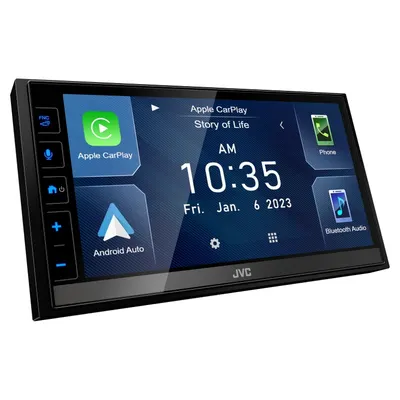
If you are planning on an amp later, look at the JVC KW-M785BW. It runs CarPlay and Android Auto over Wi-Fi or USB, has 4V preamp outputs for a cleaner signal to an amp, an HDMI input, and both front and rear camera inputs. The chassis is shallow and it is iDatalink Maestro ready. The Alpine iLX-W770 is another wireless pick with 4V preamps and a 2.4-inch mounting depth for tight dashes.
One honest note: wireless CarPlay and Android Auto work great for most people, but a long drive on maps and streaming will still drain a phone. A lot of our customers keep a cable handy anyway.
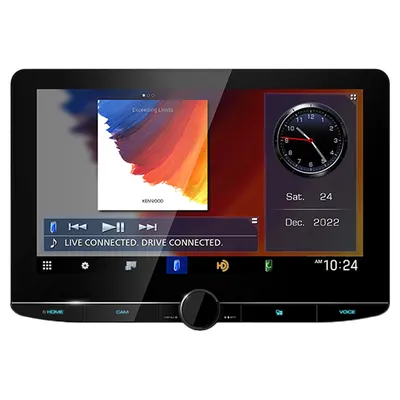
A standard double-DIN radio sits flush in a roughly 4-inch-tall opening with a dash kit. It looks clean and stays out of the way of vents and buttons. If you want a bigger screen, a floating unit puts it in front of the dash. The Kenwood Excelon Reference DMX1057XR has a 10.1-inch HD screen, wireless CarPlay and Android Auto, 5V preamps, 2-way and 3-way crossover modes and time alignment, so it suits builds where tuning matters as much as the screen. The JVC KW-Z1001W is another 10.1-inch floating option with four camera inputs.
The catch with floating screens is the dash shape. On some cars the screen covers a vent, the hazard button or climate controls, or it sits at an odd angle. We look at your dash in person before we recommend one.
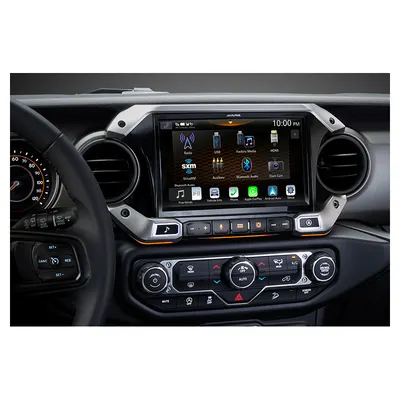
Vehicle-specific systems are the third path. The Alpine i509-WRA-JL is a 9-inch weather-resistant receiver with a trim bezel made for the 2018-up Wrangler JL dash (not 4xe), and it includes an iDatalink Maestro module to keep factory controls. Even with kits like this, fit depends on year, trim and factory audio, so we confirm it for your exact vehicle first.
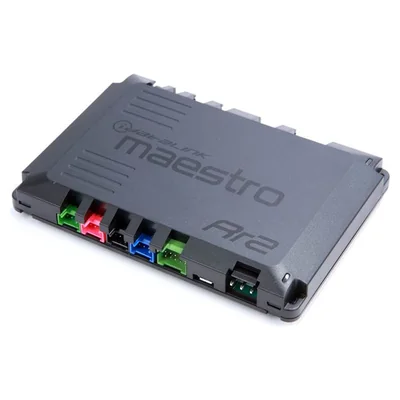
This is the part people forget, and it is what makes a new radio feel like it belongs in the car. An interface module talks to the car so your steering wheel buttons keep working. The iDatalink Maestro RR2 is the second-generation Maestro. It keeps steering wheel controls and factory features and can show vehicle info on compatible aftermarket screens. It is flashed for your car and needs the matching vehicle-specific harness.
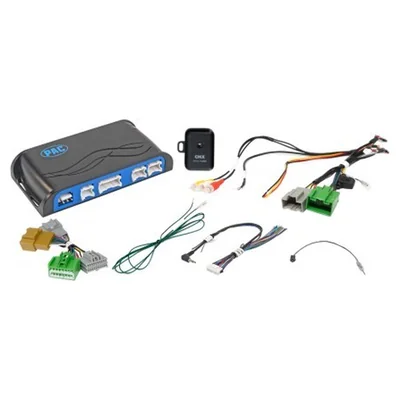
Some GM vehicles use a PAC RadioPRO instead. The PAC RP5-GM51 keeps the factory amplifier and steering wheel controls working with an aftermarket receiver on select GM vehicles. GM coverage varies by year and model, so Tony confirms which one your car needs.
On top of the module, most installs need a dash kit, a wiring harness and an antenna adapter. A kit like the Metra 95-3305 covers a wide range of GM vehicles, but harness and antenna parts are separate. We put the full parts list together for your car before we quote the job.
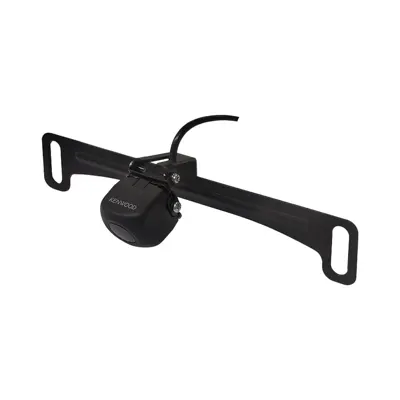
Nearly every radio in this guide has at least one camera input, so a backup camera is an easy add while the dash is open. The Kenwood CMOS-230LP1 is a universal plate-mount camera with a wide view in a waterproof housing, and it works with most aftermarket receivers that have a camera input.
If you want a sharper picture, the Kenwood CMOS-740HDLP is a 720p HD camera with a 180-degree view. The tradeoff is that it only works with select Kenwood receivers that support HD cameras, so it makes sense if you are already going Kenwood. If your car has a factory camera, tell us, because there is often a way to keep it.
Bring or text us: year, make, model and trim. Whether you have steering wheel buttons, a factory amp or premium sound, and a factory camera. Your phone type, and whether you want wired or wireless. And whether an amp or sub might come later. A photo of your dash helps a lot, especially if you are looking at a floating screen.
You can also start with our Shop by vehicle tool, then call (323) 944-7844 or text (213) 674-9042 and we confirm fit and parts for your exact car. Call or text to make sure the radio is in stock before you drive over. You buy it here in South Gate, Tony and the crew install it in our own bay, often the same day, and you pick it up here.
We are an authorized Alpine and Pioneer dealer, and Payment Plan: Buy Now, Pay Later: 100 days same as cash, or up to one year with Synchrony. Approval and terms set by the provider. Se habla español.
In the shop
Buy Now, Pay Later
$339.99
 Buy Now, Pay Later
$459
 Buy Now, Pay Later
$399
 Buy Now, Pay Later
$1,549
 Buy Now, Pay Later
$2,899.95
$259.99
$154.99
Shop by vehicle
Pick your year, make and model to see the stereos, speakers and boxes that fit it, with prices. Pickup and install in South Gate.
Fastest way to a price
Car audio: send the year, make, and model, and Tony gets back to you with what fits and a price. DJ gear: tell Joe the room or the party, like "backyard party, 150 people" or "starter DJ setup," and he will put a setup together.
Your car runs great, but the radio is stuck in the past. A new head unit with Apple CarPlay or Android Auto is one of the most useful upgrades we do, and here is exactly what goes into it.
Read itFor most cars, the simple setup is a receiver with a camera input plus the Kenwood CMOS-230LP1, which Kenwood lists as working with most aftermarket receivers that have a camera input. For a sharper picture, the Kenwood CMOS-740HDLP shoots 1280 x 720 HD, but it connects through HD-TVI and works only with select Kenwood receivers that support HD cameras. If you also want a front or side camera, pick a receiver with more than one camera input, like the JVC KW-M875BW, Kenwood DMX958XR or Alpine iLX-F509.
Read itA new stereo usually needs three things besides the radio: a dash kit so it fits the opening, a wiring harness, and often an interface that keeps the steering wheel controls and factory features. Metra dash kits like the 95-3305 (GM) and 95-5812 (Ford) fit a 4-inch-tall receiver. An iDatalink Maestro RR or RR2 keeps steering wheel controls and can show vehicle info on compatible screens. PAC RadioPRO interfaces keep the factory amp and steering wheel controls on select GM, Volkswagen and Audi vehicles. Which parts your car needs depends on the year and trim, so Tony confirms them before the install.
Read itIf you make a lot of short trips, yes, because the phone connects on its own. If you plug in every time to charge anyway, a wired radio like the Pioneer DMH-1800NEX does the same job and keeps things simple.
Not if we use the right interface. Modules like the iDatalink Maestro RR2 or a PAC RadioPRO keep wheel controls working on many cars. Tell us the year, make, model and trim and we confirm which one your car needs.
Often, but it depends on the dash. A floating screen can cover vents or buttons on some cars. We look at your dash and confirm fit for your exact vehicle before recommending one.
In a lot of cars there is a way to keep it with the new radio. Tell us you have one when you call or text, and we will check the parts for your car.
Bring it in and we will give you an estimate.